Gilles boiler monitoring
Gilles wood chip boiler remote monitoring and alerts – Home Assistant
Bring your Gilles wood chip boiler into Home Assistant over Modbus TCP: a dashboard, trend graphs and alerts to WhatsApp or Telegram when the boiler goes out, cools down or the connection drops. The integration is free and open source – or we install a complete system on site, in Finland or abroad.
- Free open-source integration on GitHub
- On-site installation €1,500 excl. VAT – Finland and abroad
- Read-only – never writes to the boiler
Free for everyone: integration and alerts on GitHub
We built the Gilles wood chip boiler integration for Home Assistant for our own use and published it as open source (MIT licence). Anyone may use it free of charge. It is based on mschabhuettl's German-language gilles-hpk-ra-modbus project, which we have extended.
- Setup script that creates the helpers and automations with one command
- Dashboard (Finnish) with a trend graph matching the Touch panel's trend view
- New register findings: fuel store temperature and status code 61 (buffer temperature reached)
- Status texts in Finnish using the Touch panel's wording
- Alerts to WhatsApp (WAHA bridge) or Telegram (Home Assistant's official integration) – or both – with a status command, phone notification as backup
Install it yourself
- 1Make sure Modbus TCP is enabled on the Gilles Touch controller (port 502) and the boiler is on the same local network as Home Assistant.
- 2Copy the package files from the repository to Home Assistant's packages folder and set the boiler's IP address.
- 3Run the setup script, which creates the helpers and counters (try --dry first).
- 4Add the dashboard. For alerts, create a Telegram bot or set up the WAHA bridge for WhatsApp, and copy the alert package plus the package for your channel.
Detailed instructions are in the repository README (English and Finnish). If you install it yourself, you are responsible for the installation; we are happy to advise, and on-site consultation is included in the installation package.
Alerts to WhatsApp or Telegram
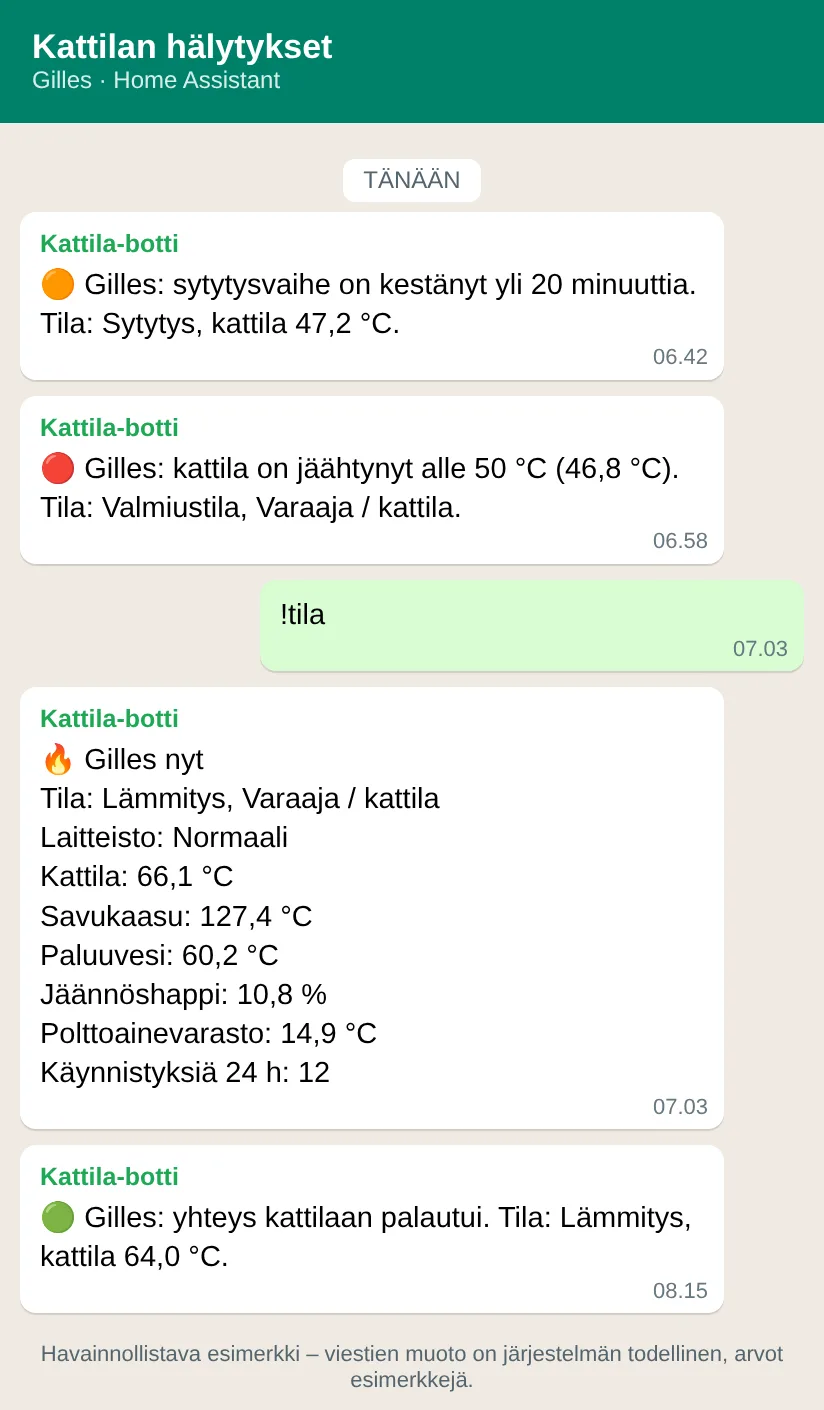
Alerts go to a WhatsApp or Telegram group (or both) – add your family or whoever looks after the heating. Telegram uses the official bot API, is free and needs no extra number or SIM card; WhatsApp goes through the WAHA bridge and needs its own WhatsApp number. Limits can be adjusted from the dashboard.
Connection to boiler lost
No Modbus data for more than 10 minutes; also a message when the connection is restored.
Ignition phase too long
Ignition takes longer than an adjustable limit.
Temperature not rising after start
Boiler temperature has not risen for more than 25 minutes after a start.
Frequent starts
Starts in 24 hours above the limit (at most one message per 12 hours).
Start aborted / boiler out
Status code 31 (start aborted) or 34 (most likely "no fire").
Boiler cooling down
Boiler temperature below 50 °C for more than 15 minutes.
!tila or /tila – boiler status by message
Type !tila in the group (/tila in Telegram) and the system replies with the current status: combustion phase, boiler and system status, boiler, flue gas and return water temperature, residual oxygen, fuel store temperature and starts in the last 24 hours.
If sending to WhatsApp or Telegram fails, the same message is sent as a Home Assistant phone notification.
Safe: read-only
The system only reads the boiler's data over Modbus. It never writes anything to the boiler and does not control it – the boiler's own controls and safety devices work exactly as before.
Dashboard
Overview
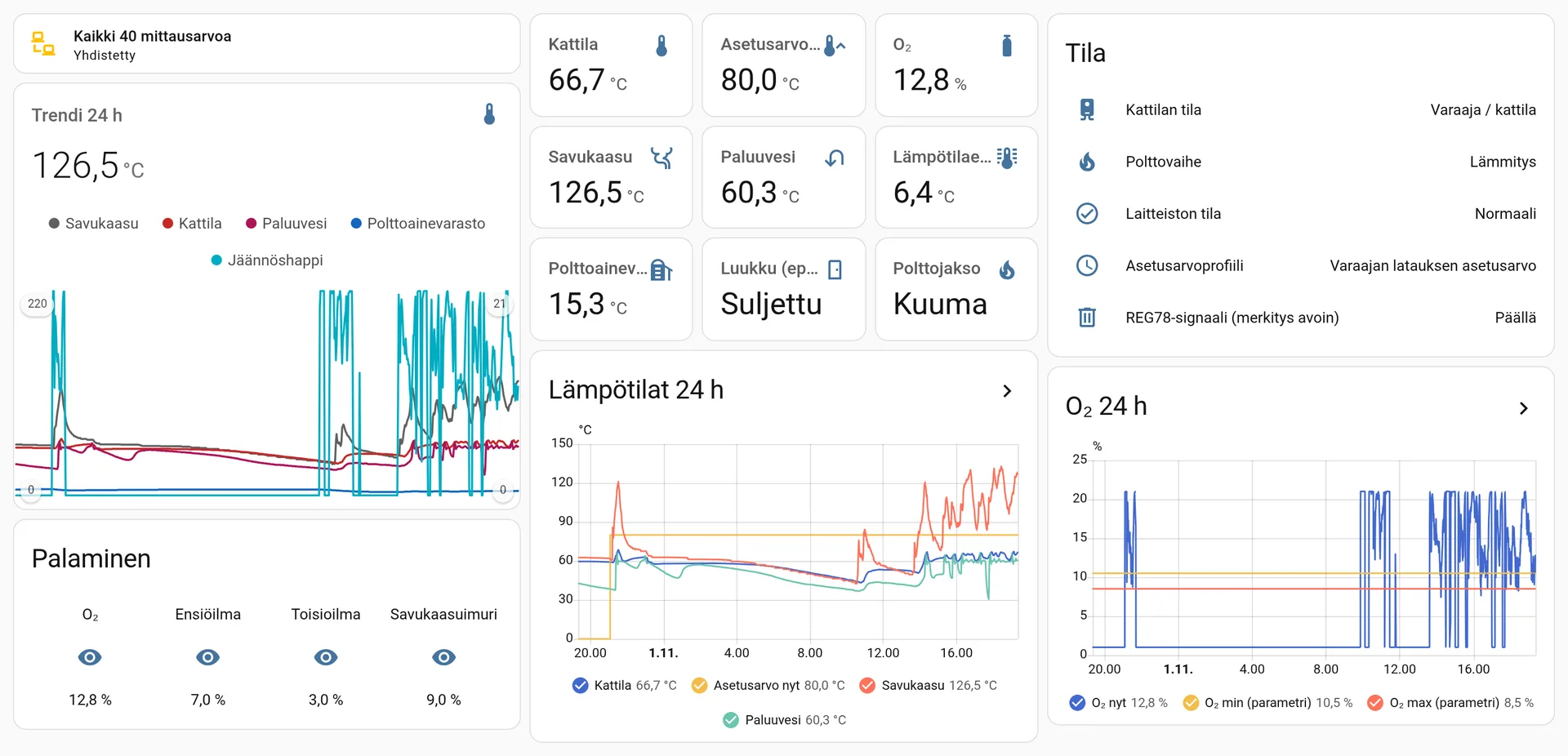
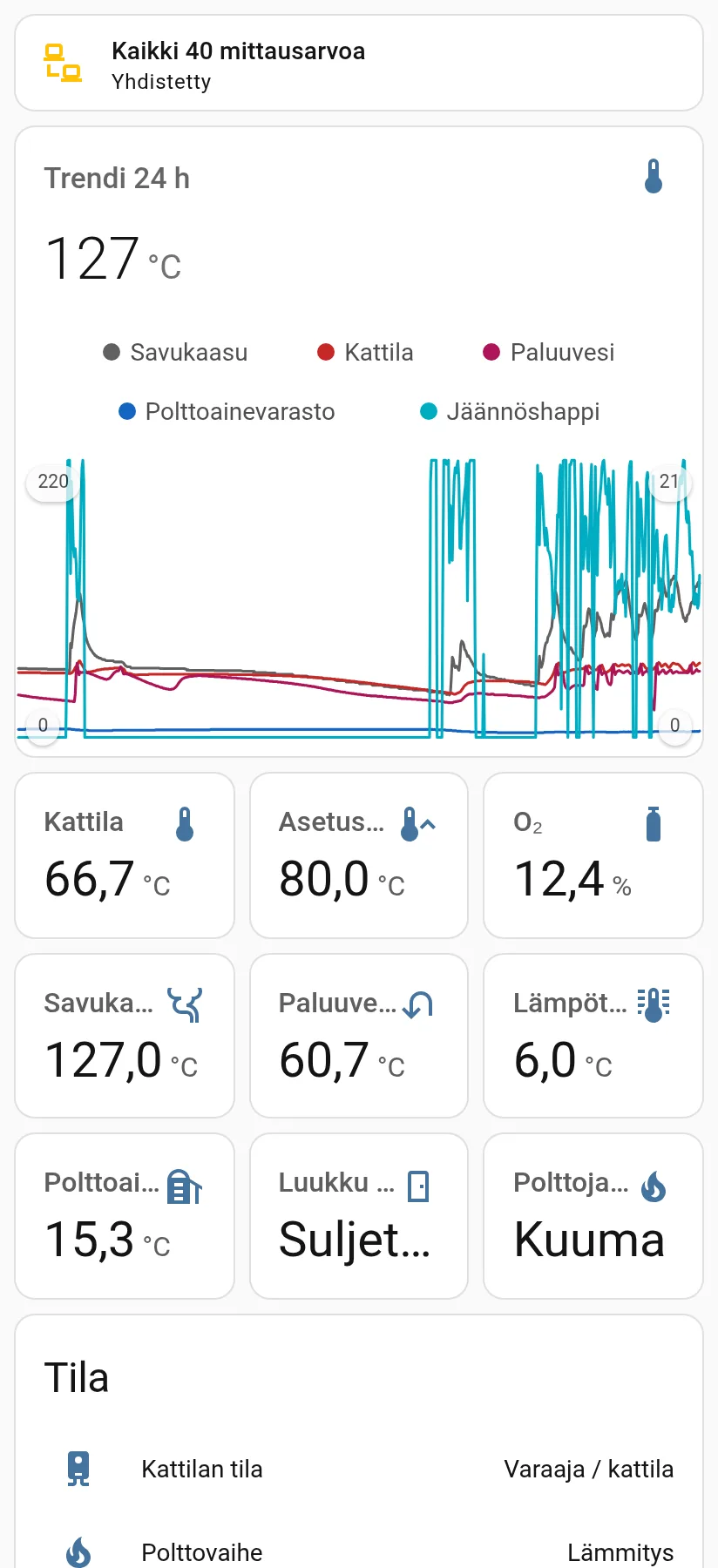
24 h trend (flue gas, boiler, return water, fuel store, residual oxygen), temperatures, status and combustion.
Burner
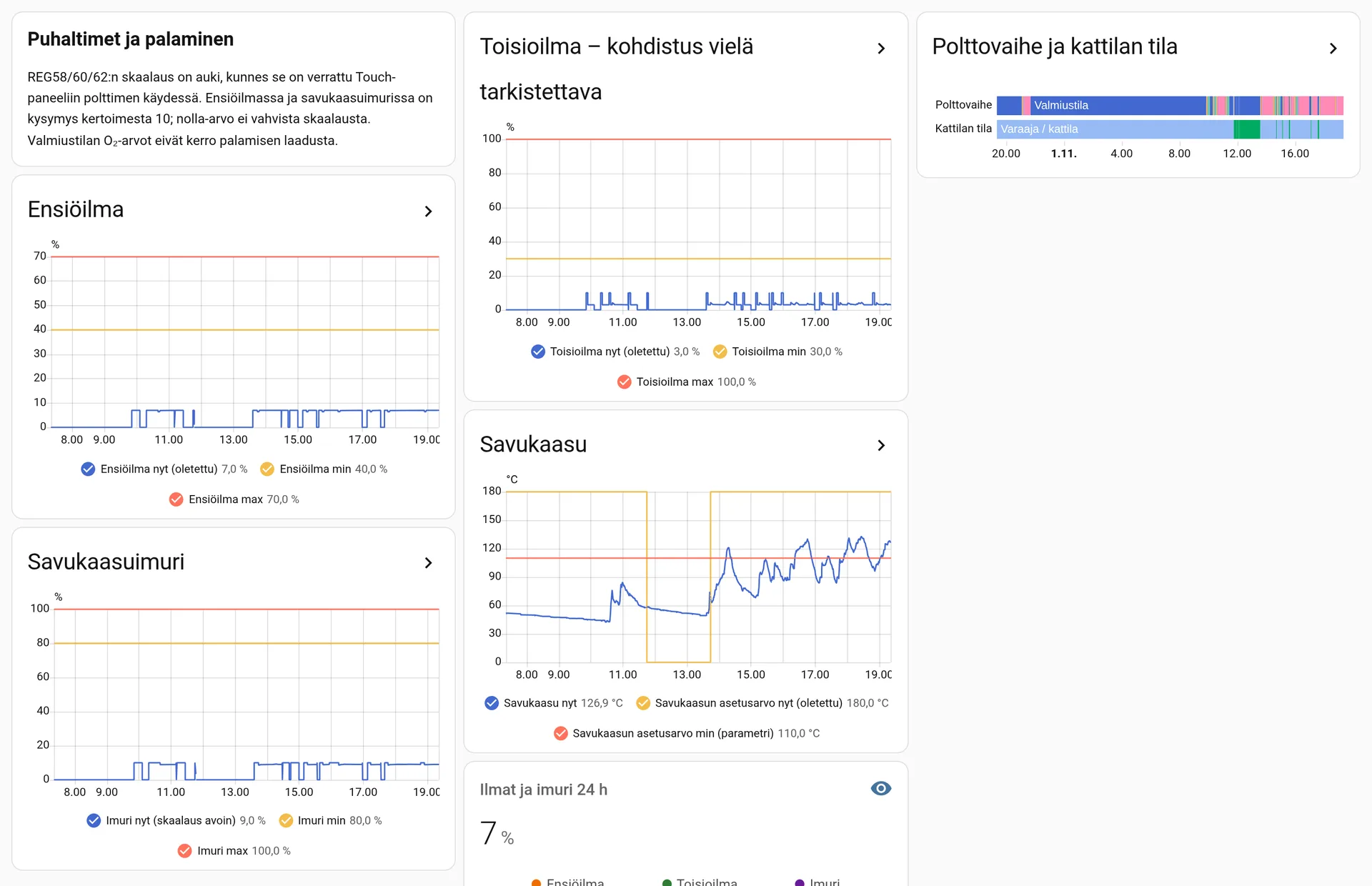
Primary air, secondary air, flue gas fan and flue gas against set points, plus combustion phase history.
Statistics
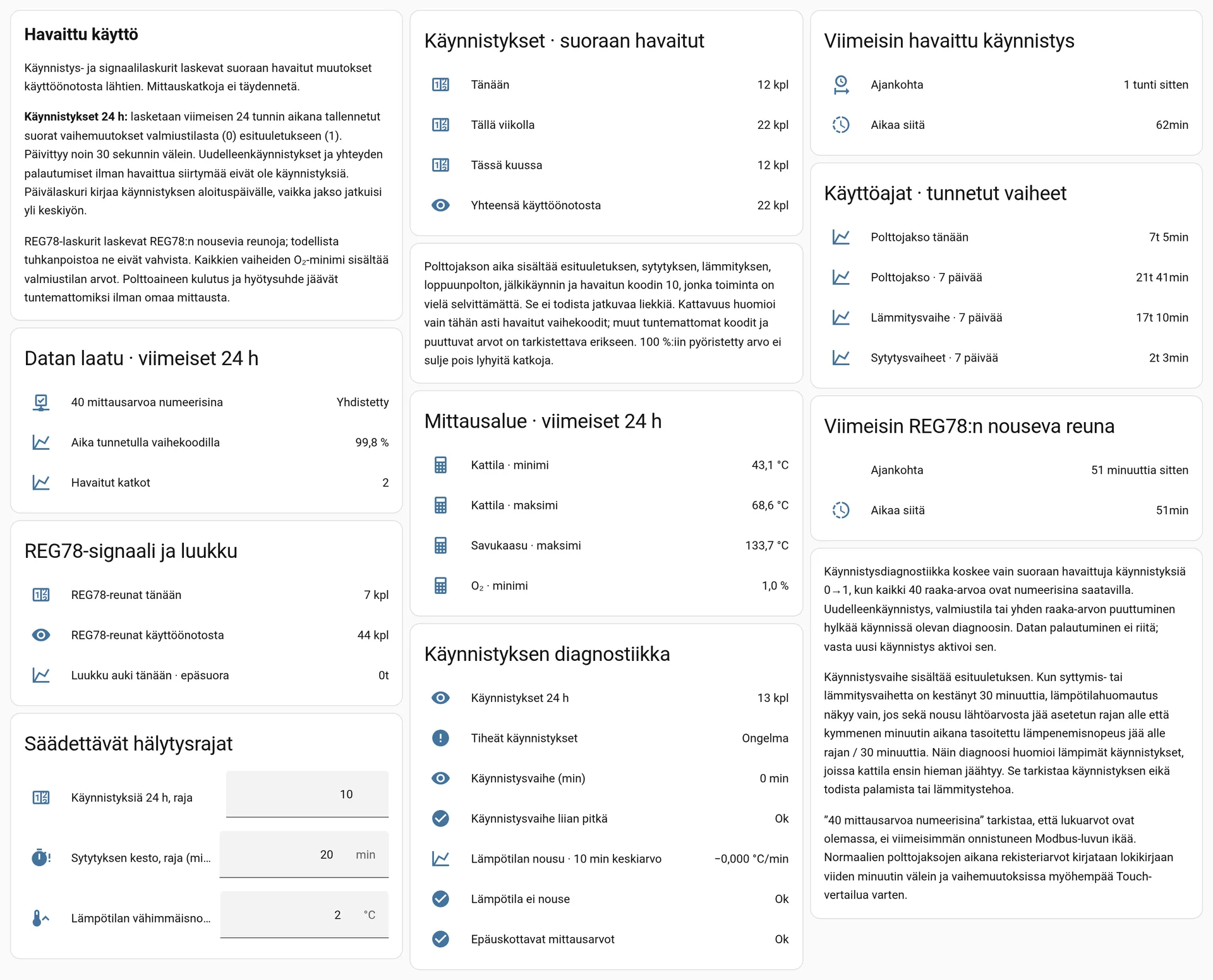
Starts, running hours, 24 h min/max values, start diagnostics and adjustable alert limits.
Parameters and registers
Boiler, flue gas, fan and ash removal set points (read-only) and register observations.
Screenshots
Screenshots from our own Home Assistant monitoring a Gilles wood chip boiler, plus an example of the alerts in WhatsApp (the messages are the same in Telegram; the interface is in Finnish).
On-site installation – a complete system, in Finland or abroad
If you would rather not install it yourself, we come on site and set everything up. The same price applies to consultation if you want help with your own installation.
On-site installation or consultation
€1,500 excl. VAT
€1,882.50 incl. VAT 25.5 %
Included
- A mini PC running Home Assistant – installed inside the Gilles controller cabinet
- Home Assistant installation and basic configuration
- Modbus TCP connection to the Gilles Touch controller and the Gilles packages
- Dashboard, statistics and alert limits
- Alerts to WhatsApp or Telegram with a status command, plus phone notifications as backup
- Testing and a hand-over walkthrough
You provide
- An internet connection at the boiler: cable, Wi-Fi or a 4G/5G router. We do everything else.
- For Telegram alerts, the Telegram app on your phone is enough. If you choose WhatsApp, a phone number is needed for the alerts – we recommend a separate number (agreed at installation).
In addition
- Travel according to our travel zones (below).
- Other work and additions, such as extra sensors, by agreement.
Travel
In Finland, travel is charged once per visit at our standard travel-zone prices; we start from Koski Tl, Southwest Finland. Outside Finland, travel, accommodation and travel time are quoted per job.
| Travel zone 1 (0–50 km) | €85 excl. VAT |
|---|---|
| Travel zone 2 (50–100 km) | €130 excl. VAT |
| Travel zone 3 (100–150 km) | €180 excl. VAT |
| Travel zone 4 (over 150 km) | case by case |
Enter a postal code to see the travel cost.
Good to know
- We are an independent company, not a Gilles representative or partner. Gilles is a trademark of its owner.
- Modbus TCP must be enabled on the boiler's Touch controller. We check this before installation.
- Telegram alerts use Telegram's official bot API through Home Assistant's own integration. WhatsApp alerts use the unofficial WAHA bridge to a WhatsApp account, so we recommend a separate number for it. Phone notifications act as a backup.
- The system does not control the boiler and does not replace the boiler's own safety devices, smoke alarms or servicing. We give no warranty on the boiler's operation.
- Buffer tank temperatures are not available over the Gilles Modbus interface. They can be added with separate sensors by agreement.
- The boiler's Modbus and VNC ports are never opened to the internet: they have no authentication.
Have a different boiler?
Similar remote monitoring and alerts can be built by agreement for other boiler and heating systems too: pellet and oil boilers, boiler houses, district heating substations and heat pumps – using Modbus, M-Bus, a manufacturer's interface, an alarm output or added sensors.
Gilles boiler monitoring
Want a complete system?
On-site installation for €1,500 excl. VAT includes everything needed, also the mini PC installed inside the Gilles controller cabinet. Tell us your boiler model and location – in Finland or abroad.
+358 43 211 0516Frequently asked questions
Is the Gilles integration really free?
Yes. The integration, dashboard and the WhatsApp and Telegram alerts are open source on GitHub (MIT licence) and anyone may install them free of charge. Only on-site installation or consultation is paid.
What does installation cost?
On-site installation or consultation costs €1,500 excl. VAT (€1,882.50 incl. 25.5 % Finnish VAT). Everything needed is included, also the mini PC running Home Assistant, installed inside the Gilles controller cabinet. Travel is charged according to our travel zones in Finland; abroad, travel, accommodation and travel time are quoted per job. Other work by agreement. We install in Finland and abroad. VAT is applied according to the applicable rules (reverse charge may apply to VAT-registered business customers in other EU countries).
What do I need to arrange myself?
An internet connection at the boiler – cable, Wi-Fi or a 4G/5G router. Nothing else is needed for Telegram alerts; WhatsApp alerts need a phone number. We do everything else.
Telegram or WhatsApp – which should I choose?
We recommend Telegram: it is free, uses Telegram's official bot API through Home Assistant's own integration and needs no extra phone number or SIM card. WhatsApp suits families who already use it; it goes through the unofficial WAHA bridge and needs its own WhatsApp number, preferably a separate one. Both can also be used at the same time.
Will it work with my Gilles boiler?
The integration is made for Gilles wood chip boilers with the Touch control panel and Sigmatek controller. Modbus TCP must be enabled on the controller (port 502). We check this before installation.
Can the system switch off or adjust the boiler?
No. The system only reads the boiler's data and never writes to the boiler. The boiler's own controls and safety devices work as before.
Can you do the same for a different boiler?
Yes, by agreement. We first find out which interfaces the boiler has – for example Modbus, M-Bus, a manufacturer's interface or an alarm output – and add our own sensors where needed.